WBD Pricing Tables for Gutenberg & WordPress Pricing Table Plugin
Create responsive WordPress pricing tables without coding using WBD Pricing Tables. Customize plans, features, colors, and buttons with Gutenberg.
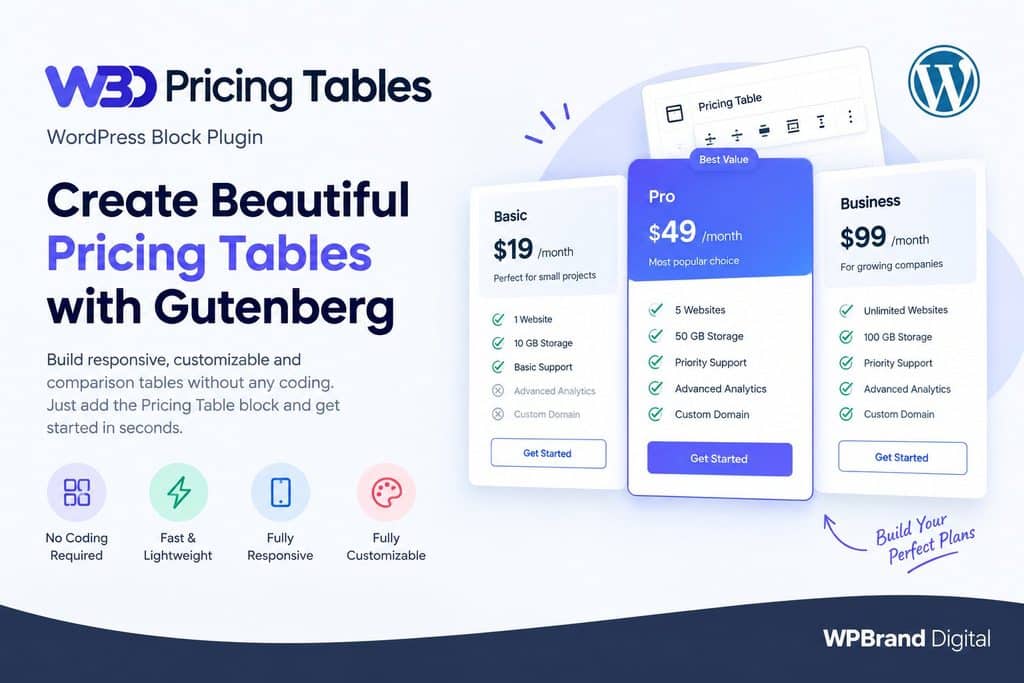
WBD Pricing Tables Plugin Overview
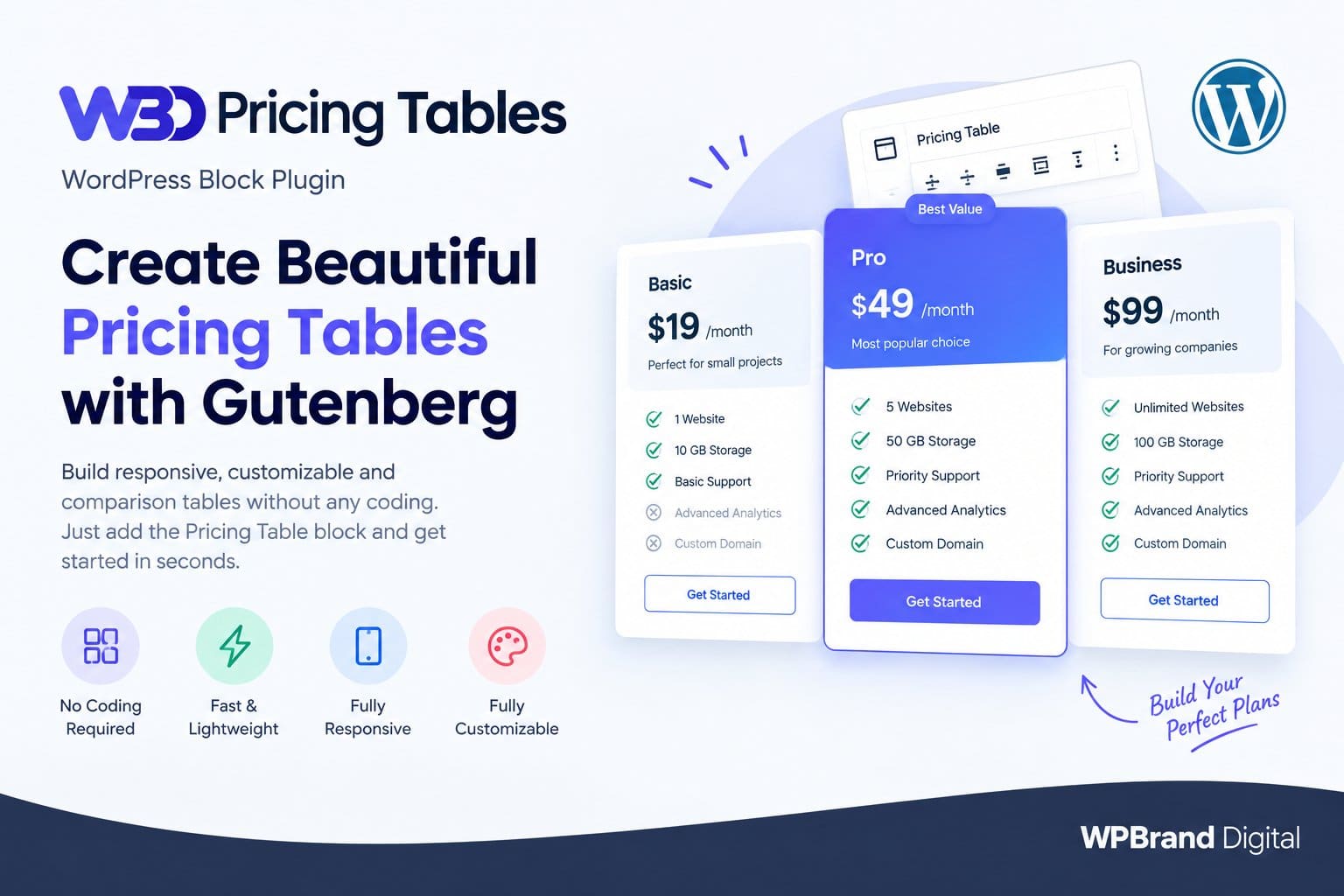
WBD Pricing Tables is a WordPress block-based plugin for creating responsive pricing and comparison tables without any coding. As the official plugin page notes, it “gives you full control without any coding.” and “works with every WordPress theme.” It’s lightweight and SEO-conscious focusing purely on pricing layouts so it won’t bloat your site. The block editor integration means no short-codes are needed: just insert the Pricing Table block in any page or post to configure plans, prices, features, buttons, and colors with live preview.
In short, WBD Pricing Tables is designed for freelancers, agencies, SaaS startups, Woo-Commerce sites, etc. anywhere you need to display product or service plans clearly. Common use-cases include SaaS pricing pages, subscription plans, product comparisons, agency service packages, and feature matrices.
Why Use a Pricing Table?
Pricing tables help customers compare plans side-by-side in a clear, visual way. This boosts understanding and conversions by highlighting differences and popular options. As one industry article explains, pricing tables “simplify the process of displaying complex pricing information in a professional and visually clear manner”. Key benefits include:
- Clear Comparison: Customers can easily compare features and prices to make an informed decision.
- Highlight Best Value: You can highlight a “recommended” or “Best Value” plan, drawing attention to the most popular or profitable option.
- Better Engagement: A well-designed table is more engaging and professional-looking, which can increase conversions.
- Consistent Branding: Templates allow you to match your branding (colors, fonts) so the pricing table looks like part of your site.
- Responsive Design: Modern customers browse on all devices; pricing tables from WBD are mobile-friendly and look good on any screen.
In essence, a pricing table ensures visitors “get a clear overview of what they will get from each plan”, boosting trust and sales.
Key Features
- Block-Based Editor: Uses the native Gutenberg block editor no coding or short-codes required. Simply add the Pricing Table block and configure it in the sidebar.
- Unlimited Feature Rows: You can list as many features as you want under each plan (unlimited rows). Each feature can have a checkmark or cross icon to show inclusion/exclusion.
- Multiple Columns (Plans): The free plugin lets you create tables with 1 to 4 columns (plans), and up to 6 plans per table. Each column shows a plan name, price, billing period, description, and features.
- Featured/Recommended Plan: Any plan can be toggled as “Featured/Recommended,” which adds a visual badge and accent color. This is great for marking your best-value or popular plan.
- Custom Call-to-Action: Each plan has a button with customizable text and link. You can point these buttons to any URL (for example, direct checkout, Stripe/PayPal payment page, or a WooCommerce product). Links can even open in a new tab if desired.
- Styling & Colors: Full color customization is available: set header background/text color, button color/text color, and featured-plan accent color. The UI follows modern SaaS pricing design, keeping the table clean and readable.
- Responsive Layout: Tables automatically adapt to mobile and tablet screens. Columns stack gracefully on smaller viewports so visitors can scroll or swipe through plans on any device.
- Live Preview: Any change you make (text, colors, features) is shown immediately in the editor, so you see exactly how the table will look live.
WBD Pricing Tables focuses strictly on pricing content (not on unrelated site-building features), so it stays fast and lightweight. The plugin’s HTML output is clean and semantic, which is good for SEO. (Note: this plugin does not replace a full SEO plugin; rankings depend on overall site content and SEO factors.)
Compatibility & Ease-of-Use
- No Coding Required: All settings are in the block sidebar; you don’t need to write any HTML, CSS or shortcode. The plugin page emphasizes “full control without any coding”. Even non-technical users can build tables by clicking and typing.
- Works with Any Theme: Since it’s a standard Gutenberg block, the pricing table will inherit your theme’s fonts and layout. In practice, it “works with every WordPress theme”. You won’t need a special theme or extra templates.
- Gutenberg Block Editor: The plugin is built specifically for the WordPress Block Editor. (If you use a page builder like Elementor or Divi, you would generally drop this block into an Elementor inner-row or similar. It does not have native Elementor widgets, but because it’s a block, many builders that support Gutenberg blocks can use it.)
- Mobile-Friendly: The block is fully responsive on all devices. You can trust that tables will look good on phones and tablets; text and buttons resize appropriately.
- Fast Loading: WBD Pricing Tables is performance-conscious, so adding these tables won’t slow down your site significantly. It focuses only on pricing table functionality, without heavy extra scripts.
Layout and Customization
- Unlimited Feature Rows: Add as many features or perks per plan as you need. Each feature can show a ✔ or ✘ icon (for included vs excluded features).
- Columns (Plans): By default you can choose 1, 2, 3, or 4 columns for layout. In practice, you can include up to 6 plans in one block. (For example, a 3-column layout with 6 plans might wrap into multiple rows on the desktop.)
- Featured Plan Badge: To mark a plan as recommended or “best value,” simply enable its Featured toggle. This adds a highlighted badge (often labeled “Recommended”) and accentuates its styling so it stands out.
- Monthly/Yearly Pricing Toggle: The WBD plugin itself does not include an automatic currency-toggle for billing periods. In the demo (see Live Demos), you can see monthly vs yearly pricing toggles but implementing that on your site typically requires custom code or two separate tables (one for monthly, one for yearly) and a custom button to switch them. (This feature is not built into the core block.)
- Icons, Images, Videos: The block lets you use icons (checkmarks/crosses) in the feature list. If you want custom icons or emojis, you can often add them via the text fields. The plugin does not natively support uploading images or embedding videos inside the table cells. (As a workaround, you could insert a small image via HTML in the plan title or description, but that requires extra steps; there’s no built-in media picker in the block.)
Button Links and Integrations
- Custom Button URLs: Each plan’s button can link to any page or external URL. For example, link directly to a Woo-Commerce product’s checkout, a Stripe payment link, or a PayPal “Buy Now” URL. Just paste the target URL into the button’s link field. There is no restriction the block treats it like any normal hyperlink.
- WooCommerce Products: WBD Pricing Tables does not pull in WooCommerce data automatically. However, it can be used on WooCommerce sites by linking buttons to product pages or checkout. You might create a table of service tiers and set each button to the corresponding WooCommerce add-to-cart link. The table is independent, but fully compatible for use on any WooCommerce-driven site.
Product & Feature Comparison Tables
Beyond simple pricing, WBD offers a Comparison Table block (a distinct block type) for feature matrices. The Pro version includes a Comparison block, and the free plugin (as of version 1.2.0) also provides basic comparison functionality. This lets you create a grid where rows are features and columns are products/plans. For example, a “Basic vs Pro vs Enterprise” feature checklist can be built. In the demo, the Comparison Matrix Table shows different storage, support levels, etc. side-by-side.
If you only have the free block, you can still mimic a comparison by using the same Pricing Table block in a grid layout: put multiple tables next to each other or stack features manually. But if you need a true matrix, consider the Comparison block (available in Pro).
Free vs. Pro Features
WBD Pricing Tables is a freemium plugin. The free version already includes a lot of functionality (see list above). Upgrading to Pro unlocks additional templates and styling controls. Key Pro features include:
- Five Premium Templates: The pro version adds 5 pre-designed themes/layouts (beyond the free themes) so you get more style options out-of-the-box.
- Comparison Table Block: A dedicated comparison/matrix table block for side-by-side feature grids.
- Advanced Styling & Layout Controls: More fine-grained design options (e.g. custom fonts, spacing, hover effects, etc.) beyond the basic color settings.
- Priority Support: Fast-track developer support with responses typically within 24 hours.
For example, the free plugin comes with 3 starter templates (layouts) and allows 1 – 4 columns. Upgrading adds 5 additional premium templates. Below is a quick comparison of free vs pro features:
| Feature | Free Version | Pro Version |
| Max Plans per Table | Up to 6 plans | Up to 6 plans (same) |
| Templates (Layouts) | 3 built-in themes | +5 premium themes (total 8) |
| Comparison Table Block | ❌ Not included (basic tables only) | ✔ Included |
| Advanced Styling Controls | Basic color & layout options | ✔ Additional typography, spacing, hover, etc. |
| Featured/Recommended Badge | ✔ Yes | ✔ Yes |
| Live Preview | ✔ Yes | ✔ Yes |
| Priority Support | ❌ Community/support forum | ✔ 24h dedicated support |
FAQs:
- Do I need coding skills?
- No. The plugin is 100% block-based. You configure everything through the Gutenberg interface. Beginners can build tables by clicking options; no HTML or CSS is required.
- Will it work with my theme and page builder?
- Yes, it works with any WordPress theme. It’s designed for the core block editor, so as long as your theme supports Gutenberg (almost all modern themes do), the table will inherit your theme’s fonts and styles. It doesn’t natively have Elementor or Divi widgets, but you can usually add Gutenberg blocks inside those builders or use it on pages that use the block editor.
- Is it mobile responsive?
- Absolutely. The tables automatically adapt to screen size. Columns stack vertically on phones, and text scales down. This ensures your pricing looks good on desktops, tablets, and smartphones.
- Can I create unlimited rows and columns?
- You can add unlimited feature rows (each plan can list as many features as you want). As for columns (plans), the free block supports up to 6 plans per table (Pro supports the same, as the plugin does not limit beyond that). Layouts allow 1 – 4 columns by default, and additional columns will wrap as needed.
- How do I highlight a specific plan?
- Each plan has a “Featured” toggle. Turn it on and the plan is highlighted with a “Recommended” badge and accent color. Use this for your best-value or most popular plan.
- Can I add a monthly/yearly toggle?
- The plugin does not include a built-in toggle switch for billing cycles. The live demo shows monthly/yearly buttons (for demonstration), but in practice you’d simulate this by creating separate tables or using custom code. It’s not a native plugin feature.
- Can I add icons, images, or videos inside the table?
- You can use icons (checkmarks or crosses) in the feature list. To use custom icons or emojis, you can paste them into the text fields. However, the table does not have fields for uploading images or embedding video. Any graphic media would have to be added via HTML or another block alongside the table. The core plugin focuses on text and icon-based features.
- Can I link pricing buttons directly to checkout pages or payment gateways?
- Yes. Each plan’s CTA button lets you set any URL. Simply enter the link to your checkout, Stripe/PayPal payment page, or Woo-Commerce product. The button will take users there when clicked.
- Does it integrate with Woo-Commerce?
- WBD Pricing Tables is not a WooCommerce extension per se. It doesn’t pull in product data automatically. But you can use it on any WooCommerce site by linking buttons to product or cart pages. It’s great for showcasing service tiers, subscriptions, or product plans alongside WooCommerce content.
- Can I build product comparison tables instead of just prices?
- Yes, the plugin includes a Comparison Pricing Table block for side-by-side feature comparisons. This is intended for comparing products, plans, or features (e.g. a matrix showing what each plan includes). Even with the free version, you can mimic comparisons by arranging multiple pricing tables, but Pro offers a dedicated comparison block for clean matrices.
- Are these answers for the free or Pro version?
- The answers above describe the capabilities of the free plugin (version 1.2.0 and up). Where Pro adds features (more templates, comparison block, advanced styling, support), we’ve noted it. In short, everything in the free version can be used at no cost, and Pro just adds extras on top.
- Do I need short-codes to work?
- No. This plugin is fully block-based. Just insert the block; there are no short-codes or short-code syntax required anywhere.
- Can I create a feature comparison table instead of just a basic layout ?
- Yes either use the Comparison block (if you have Pro or updated to the version with that block) or arrange your features manually. The plugin was specifically updated to add a Comparison Pricing Table block. With it, you can list features (as rows) and plans (as columns) in a clean grid.
- How many plans can I add to a single block?
- Up to 6 plans per pricing table block. This provides ample flexibility for most service tiers. (Any more than 6, and you’d likely need a separate block or a custom layout anyway.)