Logo Carousel: The Smartest Way to Showcase Client Logos on WordPress & Gutenberg
Trust is one of the most valuable assets a business can earn online. Whether you’re running a SaaS company, creative agency, eCommerce store, or nonprofit organization, visitors often decide within seconds whether your website looks credible.
One of the simplest ways to establish that credibility is by displaying the brands, clients, partners, certifications, or sponsors you work with. Instead of hiding these valuable relationships on a dedicated page, you can place them where they make the biggest impact with a professional logo carousel.
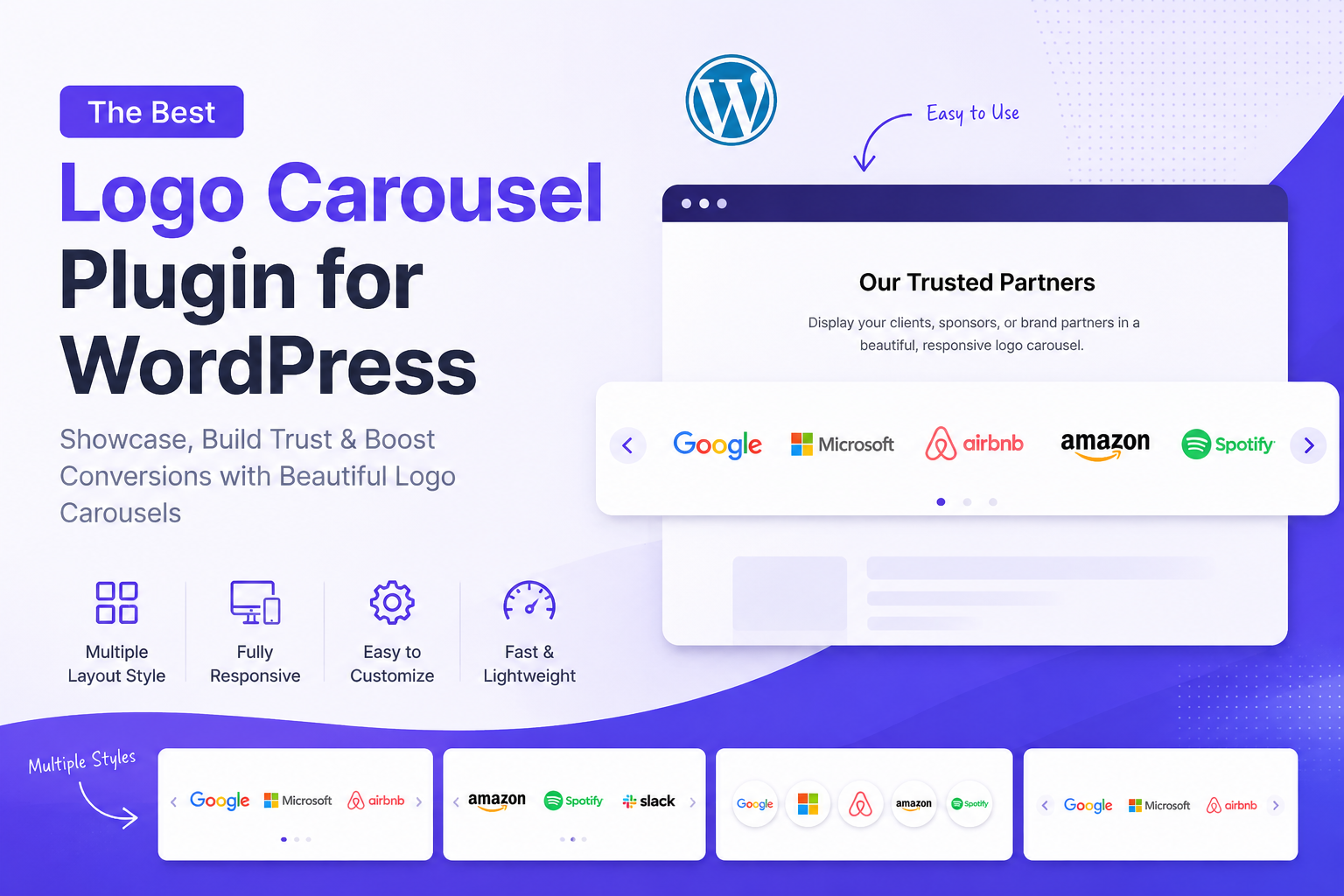
A modern logo carousel does far more than display static logos. It creates an engaging visual experience that reinforces social proof without distracting from your content. Whether you prefer an animated slider, a responsive grid, a masonry layout, or a multi-row showcase, the right plugin helps your logos look polished across every screen size.
For WordPress users, choosing a native Gutenberg logo carousel offers an even smoother experience. Rather than relying on complicated page builders or shortcodes, you can manage everything directly inside the WordPress Block Editor. If you’re running a Shopify store, adding a responsive logo slider can also highlight payment providers, brand partnerships, trusted suppliers, or featured manufacturers to increase customer confidence.
In this guide, you’ll learn why logo showcases matter, what features to look for in a modern logo carousel plugin, and how to choose a solution that is lightweight, customizable, and built for today’s websites.
Why Displaying Client Logos Matters
Your website should answer one important question immediately:
“Can visitors trust your business?”
Before reading your services or pricing, many visitors scan your homepage looking for signs that other organizations already trust you. Well-known client logos, technology partners, industry certifications, and sponsor badges provide that reassurance almost instantly.
This psychological principle is known as social proof. When people recognize familiar brands, they’re more likely to believe your business is reliable and experienced.
For example:
- A digital agency can showcase companies it has designed websites for.
- A SaaS platform can display technology partners and integrations.
- An online retailer can highlight payment providers, shipping partners, and security certifications.
- A nonprofit can recognize sponsors and donors who support its mission.
Instead of listing these logos in a long, static block, an animated brand logo carousel keeps the page visually engaging while using minimal space.
Benefits of Displaying Client Logos
Adding a professionally designed client logo showcase offers several advantages:
Builds Instant Credibility: Visitors naturally trust businesses that have worked with recognizable companies or organizations. Displaying those logos creates confidence before users even begin reading your content.
Increases Conversion Rates: Trust reduces hesitation. When visitors feel confident in your brand, they’re more likely to request a quote, subscribe, purchase a product, or contact your team.
Improves Visual Design: A responsive logo carousel WordPress section breaks up long pages and creates a cleaner, more modern layout than a simple image gallery.
Saves Valuable Page Space: Instead of displaying dozens of logos in large image blocks, a carousel rotates them smoothly while keeping your homepage organized.
Logo showcases are valuable for:
- Digital agencies
- SaaS companies
- Software developers
- Marketing firms
- Consultants
- Online stores
- Manufacturers
- Educational institutions
- Nonprofit organizations
Regardless of your industry, displaying trusted brands helps reinforce your reputation.
Why Modern Websites Need More Than a Basic Logo Slider
Many older logo slider plugins were built years ago and often rely on outdated technologies, heavy JavaScript libraries, or complex shortcode configurations. While they may still function, they can add unnecessary weight to your website and make customization more difficult.
Modern websites demand a better approach. A contemporary logo carousel plugin should be lightweight, responsive, easy to configure, and integrated with the tools you already use.
For WordPress users, that means working directly inside the Gutenberg editor rather than switching between multiple interfaces. Instead of writing code or managing complicated settings, you should be able to insert a block, upload your logos, choose a layout, and publish in minutes.
The best solutions also go beyond a traditional slider by offering multiple display options such as responsive grids, masonry layouts, multi-row carousels, customizable themes, hover effects, and typography controls. This flexibility allows businesses to create a logo showcase that matches their brand while maintaining excellent performance on desktop, tablet, and mobile devices.
In the next section, we’ll explore the features that separate a modern Logo Carousel plugin from traditional logo sliders and why those differences matter for performance, usability, and conversions.
A Modern Gutenberg Logo Carousel Plugin
If you’re looking for a WordPress logo carousel that’s fast, flexible, and easy to use, Logo Carousel is designed with modern website creators in mind.
Unlike many older logo showcase plugins that rely on complex settings or third-party page builders, Logo Carousel is built natively for the WordPress Block Editor (Gutenberg). You simply insert the block, upload your logos, customize the appearance from the sidebar, and publish.
No shortcodes. No coding. No unnecessary setup.
Whether you’re displaying client logos, technology partners, sponsor badges, certifications, or featured brands, our plugin gives you complete control over the presentation while keeping your website lightweight and responsive.
Why Logo Carousel Stands Out
Many logo slider plugins solve one problem displaying logos.
Logo Carousel goes further by helping you create a polished brand showcase that matches your website’s design while maintaining excellent performance.
Some of its standout advantages include:
- Native Gutenberg block with no additional interface to learn
- Lightweight architecture with no jQuery dependency
- Smooth CSS-powered animations
- Responsive layouts that adapt to every screen size
- Unlimited logo support
- Beginner-friendly customization options
- Modern design themes
- Flexible display modes for different website layouts
- Fast loading for a better user experience
This combination makes it suitable for freelancers, agencies, SaaS companies, startups, nonprofits, and businesses of every size.
Free Features That Deliver Real Value
Even without upgrading, Logo Carousel includes everything many websites need to build an attractive client logo showcase.
Beautiful Built In Templates:
The free version includes two professionally designed templates:
- Classic
- Elegant
These clean layouts work well across business websites, portfolios, landing pages, and corporate homepages.
Seamless Logo Carousel Slider
Create a continuously scrolling logo carousel slider that displays your client or partner logos in an elegant, distraction-free animation.Visitors can quickly recognize familiar brands without overwhelming the page.
Hover Tooltips:
Provide additional information for each logo by displaying custom tooltips.You can position the tooltip:
- Top
- Bottom
- Left
- Right
This is especially useful for displaying company names, partnership details, or short descriptions.
Fully Customizable Logo Sizes
Every website has different branding requirements. Logo Carousel allows you to adjust logo dimensions from 50px to 300px, making it suitable for compact sections as well as large hero areas.
Clickable Logos:
Turn every logo into a clickable link.
Examples include:
- Client websites
- Partner companies
- Product pages
- Sponsor information
- Integration documentation
This improves both navigation and user engagement.
Responsive by Default: Every layout automatically adapts to desktops, tablets, and smartphones. Whether visitors browse your website from London, Berlin, Paris, or Madrid, they’ll enjoy the same polished experience.
Complete Styling Control:
Without writing CSS, you can customize:
- Background colors
- Card backgrounds
- Border colors
- Border width
- Border radius
- Animation speed
- Scroll direction
- Alt text visibility
These options make it easy to match your website’s existing branding.
Unlock More with Logo Carousel Pro:
For businesses that need additional flexibility, Logo Carousel Pro expands the plugin with advanced layouts, premium themes, and productivity features.
Four Flexible Layout Types:
Instead of limiting you to a traditional slider, Pro supports multiple display styles:
- Carousel
- Multi-Row Carousel
- Responsive Grid
- Masonry Layout
This flexibility allows you to choose the best presentation for different pages.
For example:
- Homepages benefit from animated carousels.
- Portfolio pages often work better with responsive grids.
- Sponsor pages look cleaner using masonry layouts.
- Agency websites can use alternating multi-row sliders for a more dynamic presentation.
Premium Design Themes:
Logo Carousel Pro adds six premium templates:
- Luxury
- Modern
- Minimal
- Premium
- Neon
- Glassmorphism
These themes help your logo section blend naturally with contemporary website designs without requiring custom development.
Multi-Row Carousel: One of the standout Pro features is the multi-row carousel. Instead of displaying logos in a single horizontal line, multiple rows scroll in alternating directions, creating a visually engaging effect while showcasing more brands in the same amount of space.
Responsive Grid Layout: Prefer a static layout? Display logos in a responsive grid with configurable columns, making it ideal for:
- Partner pages
- Customer success stories
- Sponsor directories
- Certification showcases
Masonry Layout: The masonry option automatically arranges logos with different dimensions into an attractive Pinterest-style layout.This works particularly well when logos have varying aspect ratios.
Dedicated Priority Support: Pro users also receive priority support, helping resolve questions quickly and keeping projects moving.
What Makes Logo Carousel Different?
Choosing the right logo showcase plugin isn’t only about features it’s also about the editing experience, performance, and long-term maintainability.
Logo Carousel distinguishes itself in several ways:
- Built for Gutenberg: Everything is managed directly within the WordPress Block Editor, eliminating the need to learn a separate interface.
- Zero bloat: With no jQuery dependency and lightweight CSS animations, the plugin is designed to minimize unnecessary overhead.
- Flexible layouts: From a classic carousel to grids, masonry, and multi-row displays, you can choose the presentation that fits each page.
- Design-focused themes: Eight built-in themes, including Neon and Glassmorphism, help your logo showcase match a wide variety of website styles.
- Comprehensive customization: Adjust colors, borders, radius, typography, animation speed, and header content without writing code.
- Scales with your site: Start with the free version and move to Pro when your project needs additional layouts and themes.
Rather than focusing on one display style, Logo Carousel provides the flexibility to showcase brands, partners, sponsors, and client logos in a way that complements your site’s overall design and performance goals.
How to Use Logo Carousel on WordPress
One of the biggest advantages of Logo Carousel is its simplicity. Unlike many traditional logo showcase WordPress plugins that require shortcodes or separate dashboards, Our plugin is built directly into the WordPress Block Editor (Gutenberg). That means you can create and customize a professional logo showcase without touching a single line of code.
Step 1: Add the Logo Carousel Block
Open the page or post where you want to display your logos.
Click the + (Add Block) button and search for Logo Carousel.
Insert the block into your content.
Unlike shortcode-based plugins, everything is configured directly inside the editor, giving you a true WYSIWYG experience.
Step 2: Upload Your Logos
Click Add Logo and upload your client logos, partner brands, sponsors, certifications, or technology badges.
For every logo you can:
- Add alternative (ALT) text for accessibility and SEO
- Add an optional destination URL
- Configure hover tooltip text
- Reorder logos whenever needed
Since there is no limit on the number of logos, you can build anything from a small customer showcase to a large partner directory.
Step 3: Choose Your Layout
Depending on your version, you can choose from multiple display modes.
Free Version
- Carousel Slider
Pro Version
- Carousel
- Multi-Row Carousel
- Responsive Grid
- Masonry Layout
Each layout serves different purposes.
For example:
| Layout | Best For |
| Carousel | Homepage, hero section, landing pages |
| Multi-Row | Agencies with many client logos |
| Grid | Partner pages and certification pages |
| Masonry | Mixed logo sizes and creative portfolios |
Instead of forcing every website into the same design, Logo Carousel lets you choose the presentation that fits your content.
Step 4: Customize the Design
Every website has its own branding. Logo Carousel allows you to personalize the appearance directly from the Gutenberg sidebar.
Customize:
- Logo size
- Background colors
- Card colors
- Border color
- Border width
- Border radius
- Animation speed
- Scroll direction
- Hover tooltip position
- Header title
- Header description
- Typography settings
No CSS knowledge is required. This makes the plugin especially attractive for freelancers, marketers, agencies, and business owners who want professional results without hiring a developer.
Works Perfectly with Gutenberg
Many users specifically search for a Gutenberg logo carousel because they want a plugin that feels like a natural part of WordPress. Logo Carousel was designed from the ground up for Gutenberg. Instead of managing settings in a separate admin page, you edit everything where you’re already building your content.
Benefits include:
- Live visual editing
- Faster workflow
- Cleaner interface
- Native WordPress experience
- No shortcode management
- Better compatibility with modern WordPress themes
For websites that rely primarily on the Block Editor, this creates a more intuitive publishing experience.
Compatible with Elementor
Although Logo Carousel is built for Gutenberg, it also works well on websites using Elementor.
Many website owners create pages with Elementor while still using Gutenberg blocks elsewhere on the site.
Because Logo Carousel supports shortcodes, you can easily display your logo section inside Elementor pages whenever needed.
This flexibility allows agencies and freelancers to use one logo solution across different projects instead of maintaining separate plugins.
Whether someone searches for a logo slider Elementor solution or a native Gutenberg block, Logo Carousel provides a practical option for both workflows.
Real-World Use Cases
One of Logo Carousel’s strengths is its versatility. The same plugin can solve different challenges across industries.
Digital Agencies: Showcase the brands you’ve designed websites for to build credibility and attract new clients.
SaaS Companies: Highlight integration partners, investors, technology providers, and enterprise customers. This immediately reinforces product reliability and ecosystem compatibility.
eCommerce Stores:
Display:
- Payment gateways
- Shipping companies
- Brand partners
- Security certifications
- Marketplace integrations
These trust signals can help reduce purchase hesitation.
Nonprofit Organizations: Recognize sponsors, donors, community partners, and grant providers in a clean, professional layout.
Corporate Websites: Feature customer logos, strategic partnerships, certifications, and business associations to strengthen your company’s reputation.
Best Practices for an Effective Logo Carousel
Simply adding logos isn’t enough. A well-designed showcase creates a stronger impression and supports your overall user experience.
Use High-Quality Logos: Upload clear SVG or high-resolution PNG files whenever possible. Blurry logos can reduce the professional appearance of your site.
Keep Branding Consistent: Choose a template and color scheme that complements the rest of your website rather than competing with it.
Limit Animation Speed: A smooth, moderate scrolling speed is easier to read and creates a more refined experience than very fast animations.
Organize Logos Logically: Group similar brands together—for example, technology partners, clients, sponsors, or certifications—to make the showcase easier to scan.
Always Add ALT Text: Descriptive alternative text improves accessibility and provides additional context for search engines.
Common Mistakes to Avoid:
Even the best logo carousel can lose its impact if implemented poorly.
Avoid these common mistakes:
- Uploading low-resolution or inconsistent logo files
- Using animations that scroll too quickly
- Mixing unrelated brands without organization
- Displaying too many colors that clash with your website
- Ignoring mobile responsiveness
- Forgetting ALT text and accessibility
- Overcrowding the homepage with multiple logo sections
A clean, well-organized logo showcase builds trust. An overcrowded one can have the opposite effect. By focusing on clarity, consistency, and thoughtful placement, you can create a carousel that supports both your design and your conversion goals.
Frequently Asked Questions
Is Logo Carousel free to use?
Yes. Logo Carousel includes a free version with essential features for creating a professional logo showcase. You can build a responsive logo carousel, customize colors and borders, add unlimited logos, configure hover tooltips, and create smooth auto-scrolling sliders—all without writing code.
If you need advanced layouts such as Grid, Masonry, or Multi-Row Carousel, additional premium themes, and priority support, you can upgrade to Logo Carousel Pro.
Does Logo Carousel work with Gutenberg?
Absolutely. Logo Carousel is built specifically for the WordPress Block Editor (Gutenberg). Unlike many older plugins, it doesn’t rely on a separate admin interface or complicated shortcode management.
Simply insert the Logo Carousel block, upload your logos, customize the design, and publish your page.
Can I use a Logo Carousel with Elementor?
Yes. Although Logo Carousel is a native Gutenberg block, it also supports shortcodes, allowing you to display your logo showcase inside Elementor pages whenever needed.
This makes it an excellent choice for websites that combine Gutenberg and Elementor.
Is Logo Carousel responsive?
Every layout is fully responsive and automatically adapts to desktops, tablets, and smartphones.
Whether visitors browse your website from a desktop office computer or a mobile device, your logo showcase will remain clean, professional, and easy to navigate.
How many logos can I display?
There is no hard limit. You can add as many logos as your project requires, making the plugin suitable for:
- Customer showcases
- Technology partners
- Sponsors
- Investors
- Brand collaborations
- Certifications
- Payment providers
Can I customize the appearance?
Logo Carousel offers extensive customization options, including:
- Logo size
- Background colors
- Border colors
- Border width
- Border radius
- Animation speed
- Scroll direction
- Header title and description
- Typography controls
- Hover tooltips
- Card styling
Everything can be adjusted directly within the WordPress editor-no CSS required.
Does Logo Carousel affect website performance?
Logo Carousel is designed with performance in mind. It uses lightweight CSS animations and avoids unnecessary JavaScript libraries such as jQuery. This approach helps reduce page weight while delivering smooth animations and responsive layouts. As with any website, overall performance also depends on factors such as image optimization, hosting quality, and your complete plugin stack.
Which websites benefit most from Logo Carousel?
Logo Carousel is suitable for a wide range of websites, including:
- Digital agencies
- SaaS companies
- Startups
- Corporate websites
- Online stores
- Nonprofit organizations
- Consultants
- Marketing agencies
- Freelancers
- Educational institutions
If your business wants to showcase trusted brands, clients, partners, or sponsors, a professional logo carousel can strengthen credibility and improve user confidence.