The Ultimate Guide to Using a Logo Carousel in WordPress (Boost Trust & Conversions)
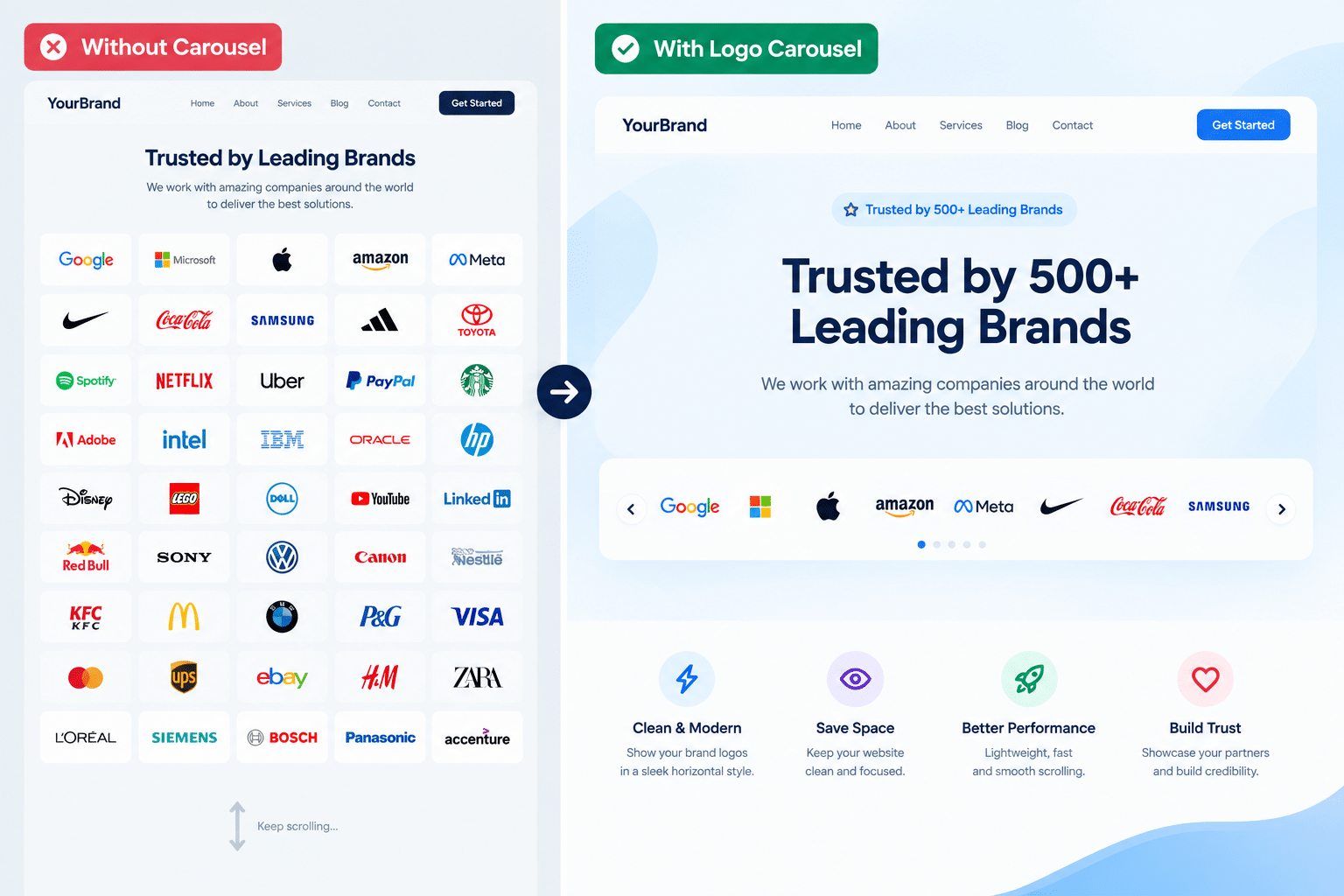
In online business, establishing credibility with first-time visitors is one of the biggest drivers of conversion. When potential customers land on your website, they instantly look for signs that your business is trustworthy, established, and proven. Displaying brand logos of clients, partners, sponsors, or media features acts as immediate visual social proof.
However, pasting dozens of static images across your homepage can quickly clutter your design and ruin the mobile user experience. The solution is a clean, responsive Logo Carousel.
In this guide, we will explore why every business site needs a Logo Carousel, key UX and performance best practices to keep in mind, and how to set up the WBD Logo Carousel plugin for WordPress.
What is a Logo Carousel and Why Do You Need One?
A Logo Carousel (also known as a logo slider or logo showcase) is a dynamic visual component that presents multiple brand icons in an organized, rotating, or scrolling slideshow.
Key Benefits of Adding a Logo Carousel:
- Instant Social Proof: Showing recognizable client or partner logos reassures new leads and supports quick purchasing decisions.
- Clutter-Free Layout: Instead of taking up valuable vertical space with rows of images, a carousel condenses multiple logos into a compact horizontal strip.
- Enhanced Visual Appeal: Smooth movement and interactive hover effects make your site feel modern, active, and professional.
- Increased Engagement: Interactive elements and subtle motion capture visitor attention without overwhelming them.
Must-Have Features in a WordPress Logo Carousel Plugin:
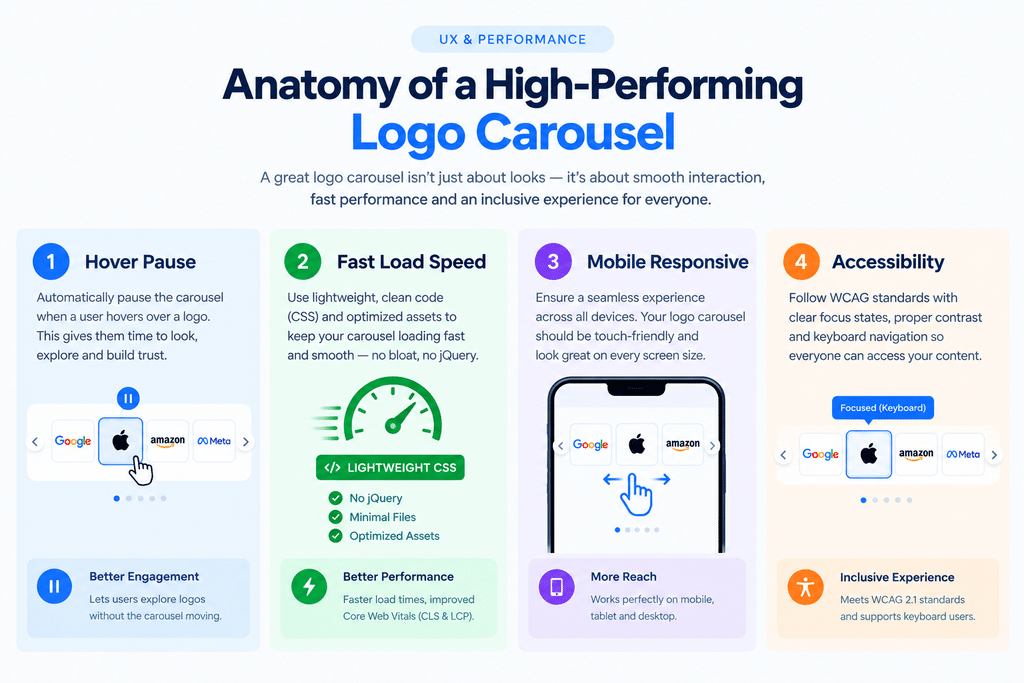
When selecting or building a Logo Carousel for WordPress, not all plugins perform equally. Poorly coded sliders can slow down page loading or break on mobile devices. Look for a plugin that includes the following essentials:
- Native Gutenberg & Page Builder Support: Seamless integration with the WordPress Block Editor (Gutenberg) or page builders like Elementor.
- Device Responsiveness: Automatic scaling and independent column control across desktop, tablet, and mobile screens.
- Smooth Infinite Scrolling: Continuous looping animation without abrupt jumps or restarts.
- Pause on Hover: Automatically stopping the rotation when a user moves their mouse over a logo, giving them time to examine or click it.
- Custom Styling & Color Modes: Options for original colors, grayscale, black-and-white, or color-on-hover effects to match your site’s aesthetic.
- Accessible & Lightweight Code: Clean HTML markup, CSS-driven animations, and support for screen readers and motion preferences.
Introducing WBD Logo Carousel for Gutenberg:
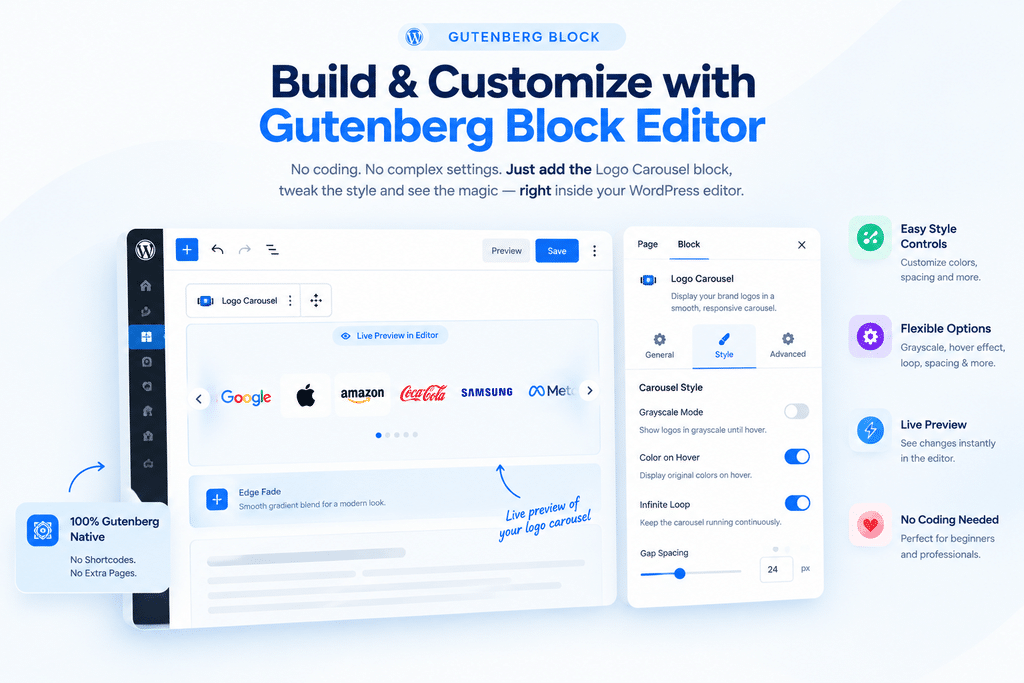
The WBD Logo Carousel plugin is a native WordPress Gutenberg block designed specifically to create smooth, infinitely scrolling logo showcases with zero coding.
Standout Features of WBD Logo Carousel:
- Infinite Looping Marquee: Provides continuous, seamless scrolling across your brand showcase.
- Multi-Row & Grid Layouts: Spread larger collections of logos across 2–4 rows with alternating scroll directions or display them in a static grid.
- Logo Display Modes: Customize logos with Grayscale, Black, White, or Custom Color tints, with an option to reveal original brand colors on mouse hover.
- Capsule Container Styles: Option to display logos inside styled pill or rounded background containers with custom padding and subtle glow effects.
- Edge Fade Gradients: Beautiful transparent or color edge fades that blend effortlessly into light, dark, or gradient backgrounds.
- Accessible Motion Control: Includes a built-in pause button, keyboard focus pausing, and respects prefers-reduced-motion settings for WCAG accessibility compliance.
- Per-Logo External Links: Easily link individual client logos to case studies or external partner sites.
Key Questions & Answers (FAQ):
Q1: Does adding a Logo Carousel affect website performance or site speed?
Answer: Unoptimized sliders can impact page load times if they use heavy, uncompressed image files or bloated JavaScript libraries. However, lightweight plugins like WBD Logo Carousel utilize pure CSS transitions and vanilla JavaScript with lazy loading. To keep site speed fast:
- Compress all logo images (using WebP or PNG format) before uploading.
- Keep logo dimensions consistent (e.g., max height 30px–150px).
- Enable lazy loading so images only load when scrolled into view.
Q2: How many logos should I include in a Logo Carousel?
Answer: While there is no technical limit to the number of logos you can add, UX research suggests limiting a single carousel strip to about 10 to 20 logos. Including too many items can overwhelm visitors or dilute the impact of key brand partnerships. If you have dozens of logos, consider using a multi-row layout or category filters.
Q3: Can I add multiple Logo Carousels on the same page?
Answer: Yes! You can add multiple independent Logo Carousel blocks on a single page—for example, one for “Featured Clients” in your hero section and another for “Technology Partners” further down. Each block runs independently without code conflicts.
Q4: Should a Logo Carousel autoplay automatically?
Answer: Auto-scrolling works well for a continuous, low-speed logo ticker or marquee. However, desktop carousels must always pause on mouse hover or keyboard focus so users can read content or click links. Additionally, always provide motion controls or support system reduced-motion preferences for accessibility.
Step-by-Step: How to Add WBD Logo Carousel in WordPress:
- Install the Plugin: Go to your WordPress Dashboard > Plugins > Add New, search for Infinite Logo Carousel Block or WBD Logo Carousel, install, and activate.
- Add the Block: Open any page or post in the Block Editor (Gutenberg), click the (+) icon, and select the Logo Slider block.
- Upload Logos: Upload your brand partner images directly in the sidebar or media library (supports WebP, PNG, JPG, and SVG).
- Configure Carousel Settings:
- Adjust logo height (e.g., 50px – 80px) and spacing between items.
- Select your preferred color mode (e.g., Grayscale with original color on hover).
- Choose speed settings (Slow, Medium, or Fast) and turn on Edge Fade.
- Add Individual Links: Optionally enter destination URLs for each logo to point visitors to client case studies or partner sites.
- Publish: Save and publish your page!